
Installation of Debian GNU/Linux 7.0 Server Code Name “Wheezy”
1. Boot Computer with Debian 7.0 Server Installation CD/DVD or ISO. Select Installfor text based installation. Choose Graphical Install to install in Graphical mode.
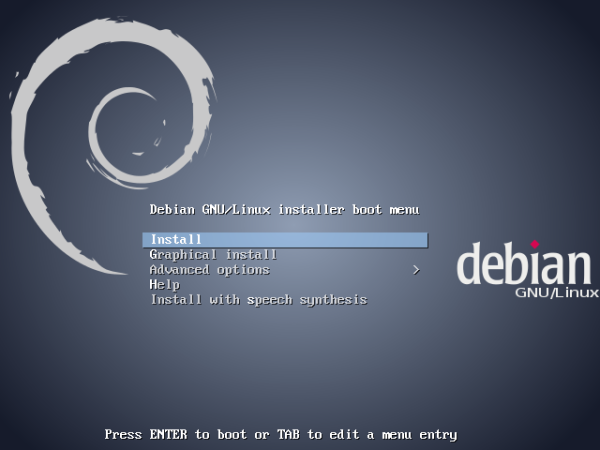
Boot Debian 7.0
2. Language Selection.
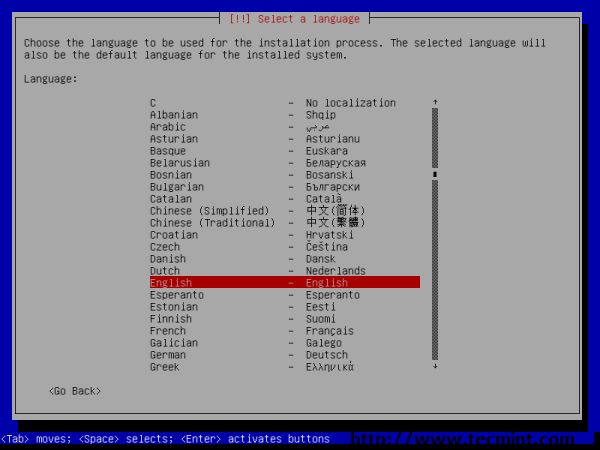
Language Selection
3. Select your location.
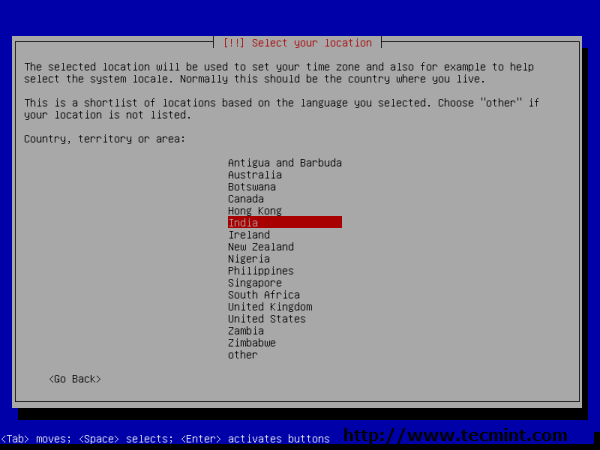
Location Selection
4. Keyboard layout selection.
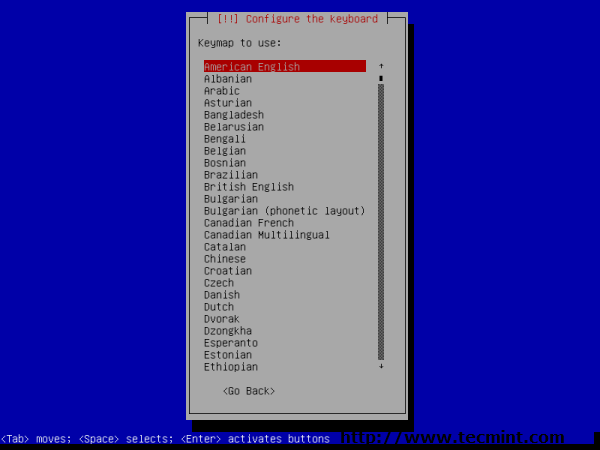
Keyboard Selection
5. Enter Host Name.
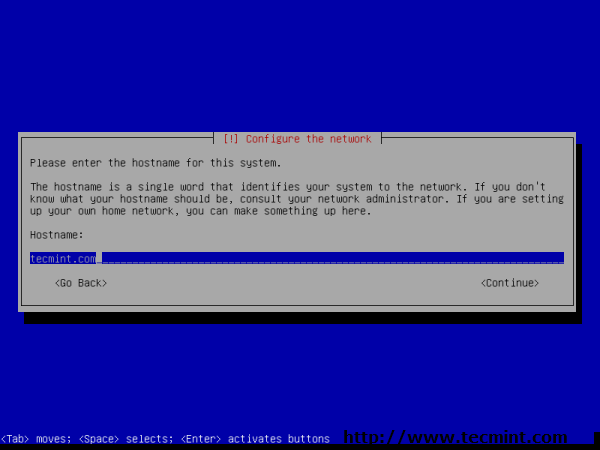
Host Name
6. Setup root user and password.

Setup root Account
7. Re-enter root password to verify.
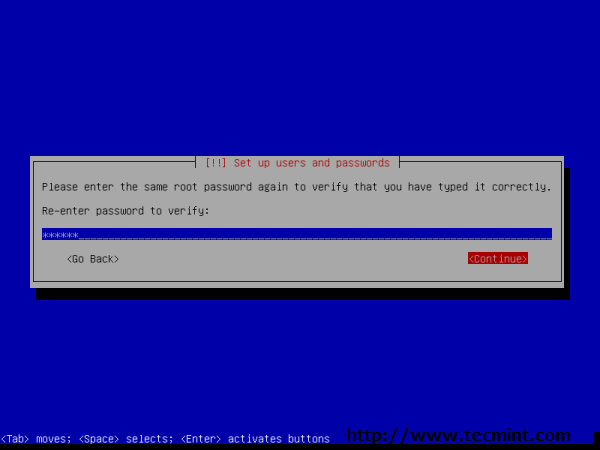
Enter root Password
8. Non-administrative user full name.
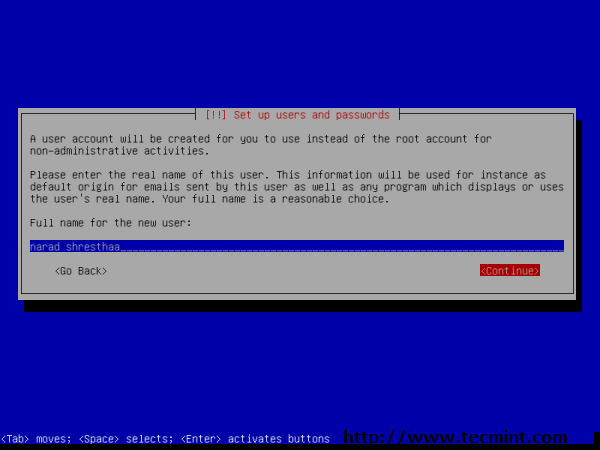
Non Administrative Name
9. Create Non-administrative user account. Don’t use admin user as it’s reserved on Debian Wheezy.
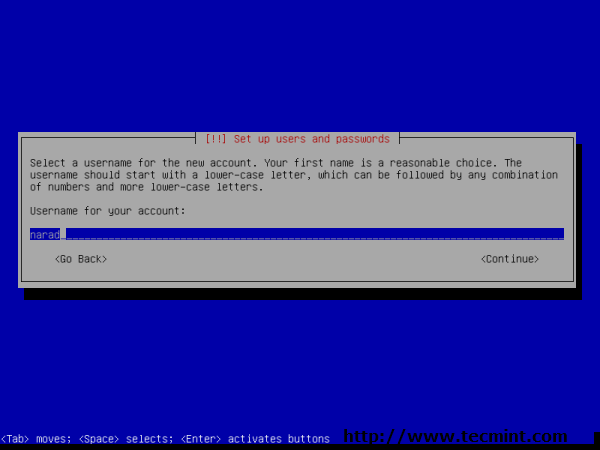
Create Non-administrative user
10. Non-administrative user password.
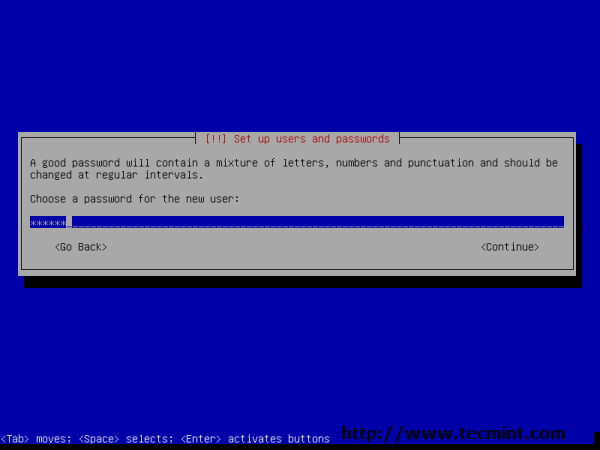
Non-administrative user password
11. Re-enter non-administrative user password to verify.
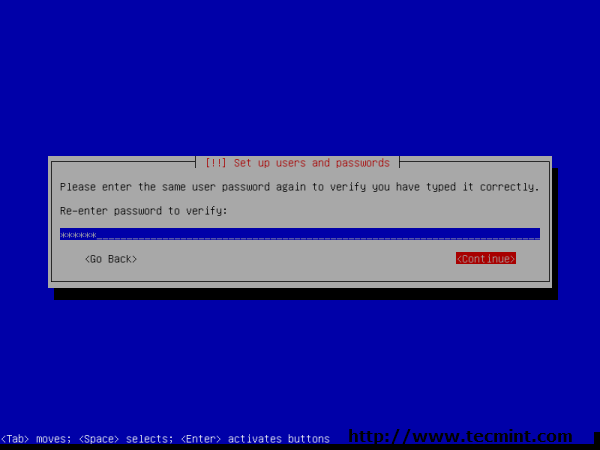
Enter Non Administrative Password
12. Disk Partitions. I used partitioning method “Guided – use entire disk and set up LVM, which will create partitions for me automatically.”
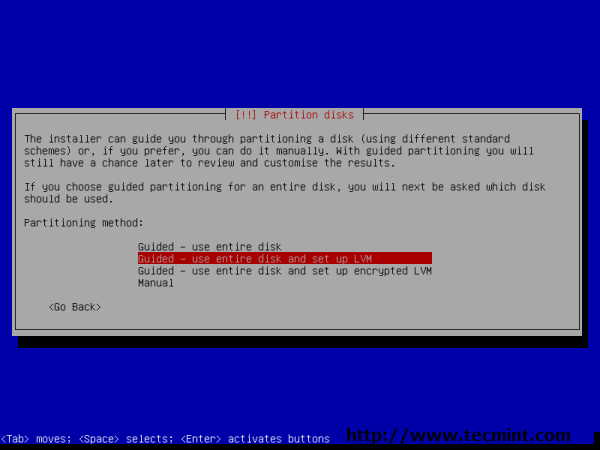
Disk Partitions Creation
13. Select disk to partition.
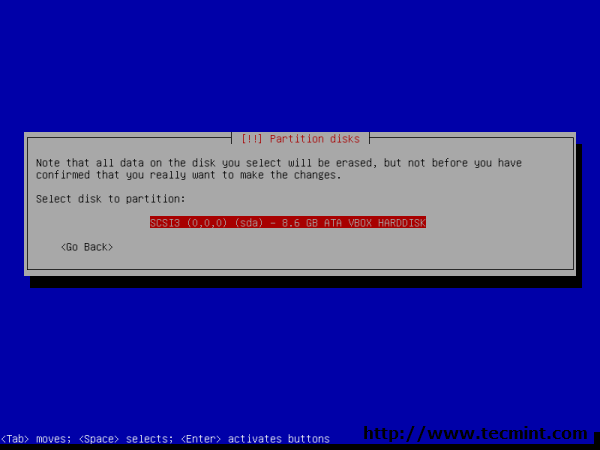
Select Disk Partition
14. Select partitioning scheme.
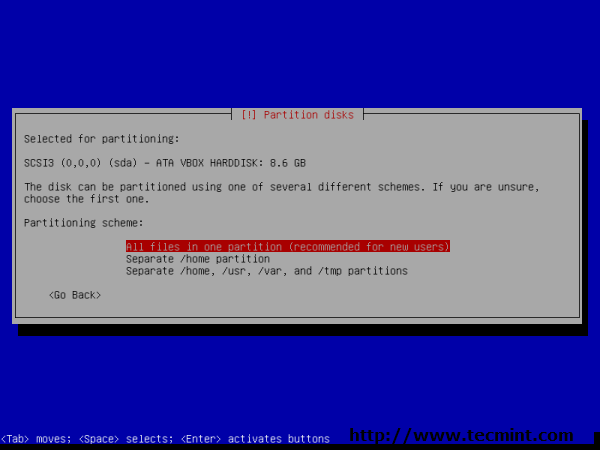
Select Partition Schema
15. Write changes to disk. Press ‘Yes‘ to continue.
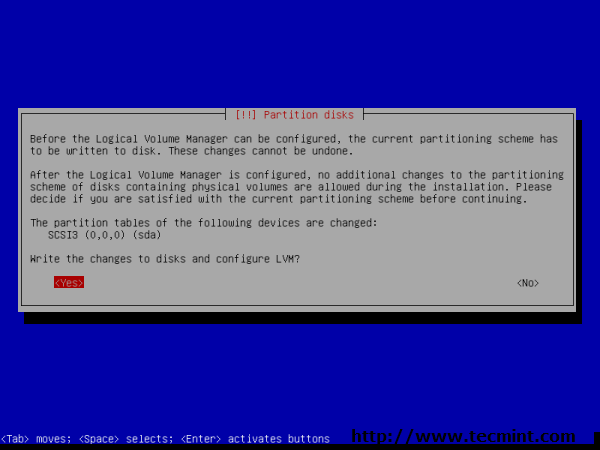
Write Changes to Disk
16. When your are happy with partitioning, select ‘finish partitioning and write changes to disk.’
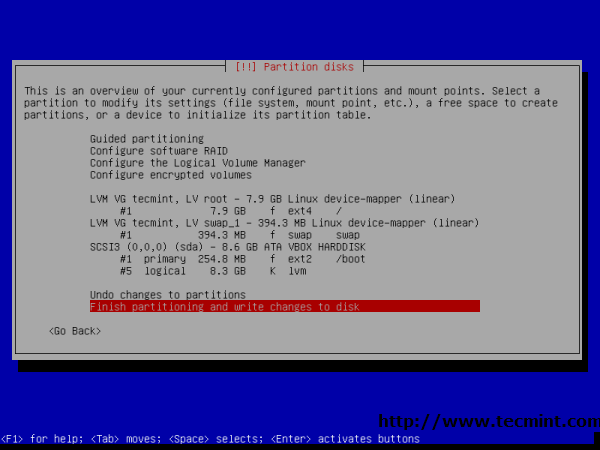
Finish Partitioning
17. Press ‘Yes’ to write changes to Disk.
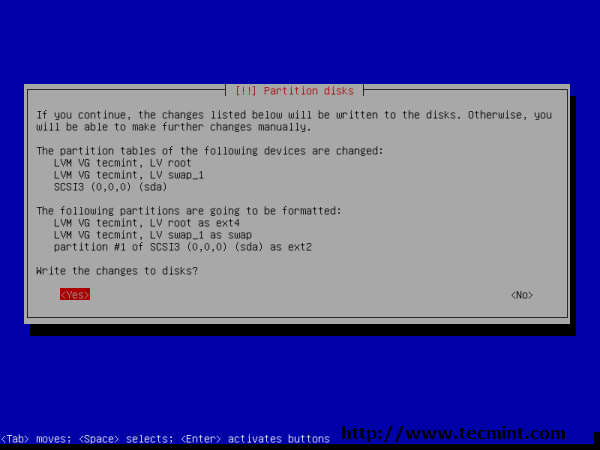
Confirm Partition Disks
18. Afterwards, installing the base system.
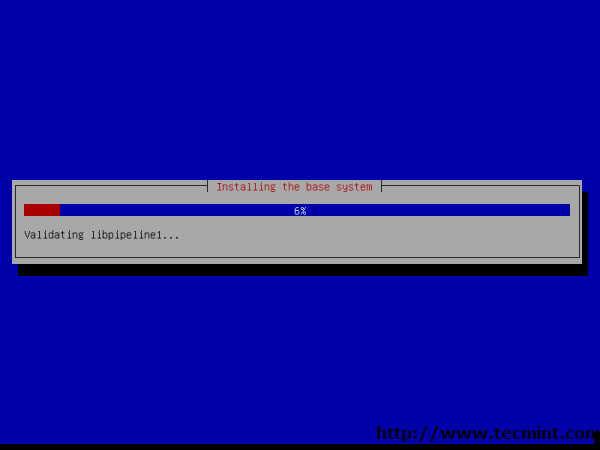
Installing Base System
19. Installation CD/DVD verification. Press ‘No‘ to skip scanning other installation media.
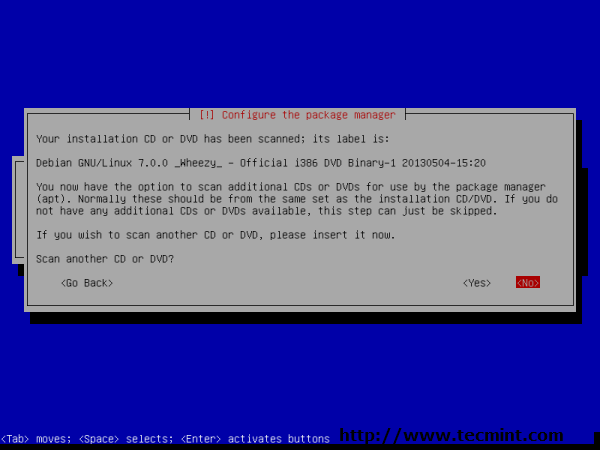
Installation CD/DVD Verification
20. Configure the package manager. Selected ‘No‘ as i am installing through media.
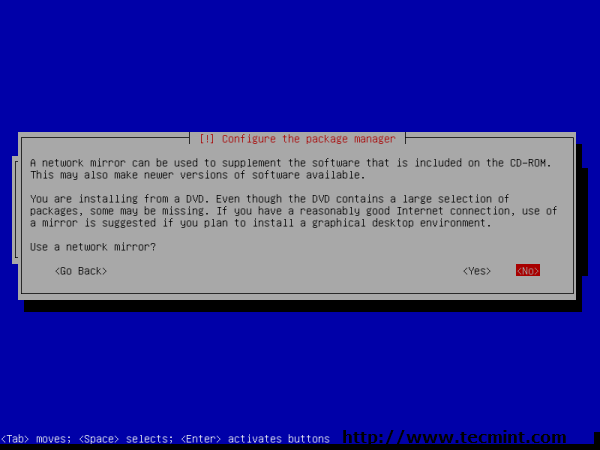
Configure Package Manager
21. You may skip Package usage survey.
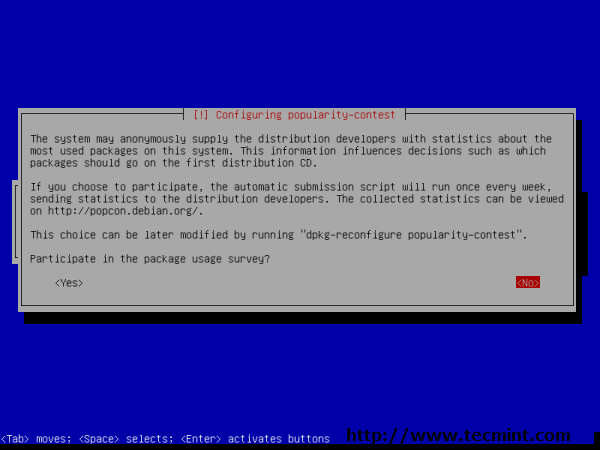
Skip Package Survey
22. Software selection, select packages as per your need. You can install the required packages manually later on.
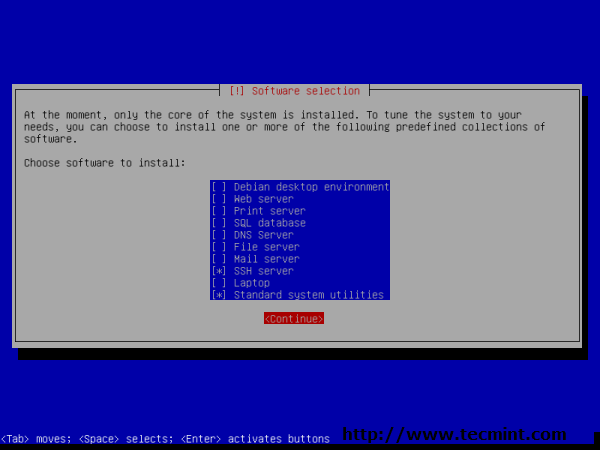
Software Selection
23. Installing GRUB Bootloader in MBR.
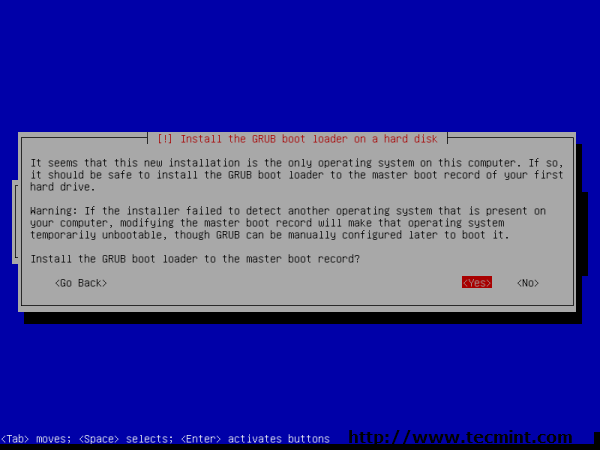
Grub Boot Loader Install
24. Installation completed. eject CD/DVDand reboot system.
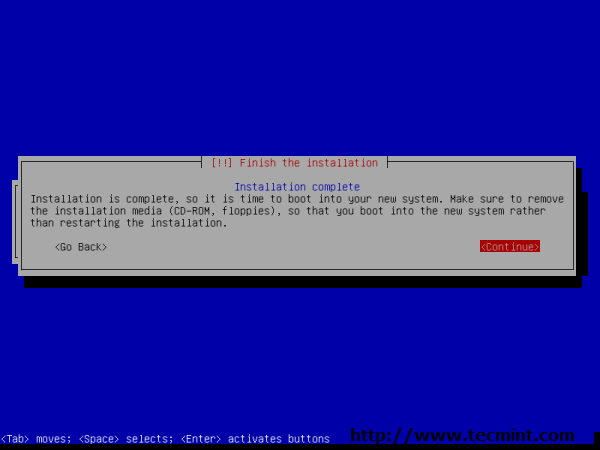
Installation Completed
25. Debian GNU/Linux 7.0 GRUB booting options.
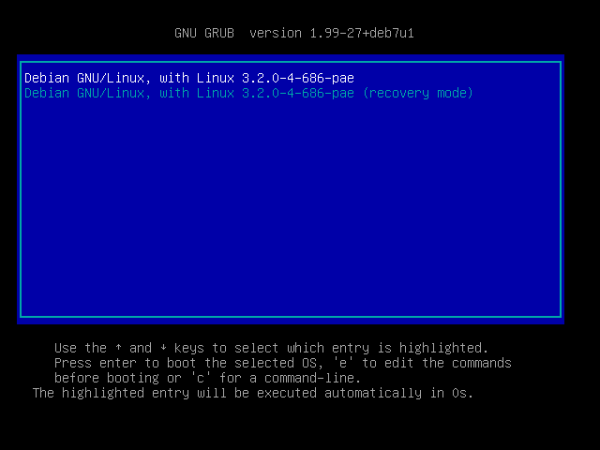
GRUB booting Options
26. Debian GNU/Linux 7.0 command prompt.
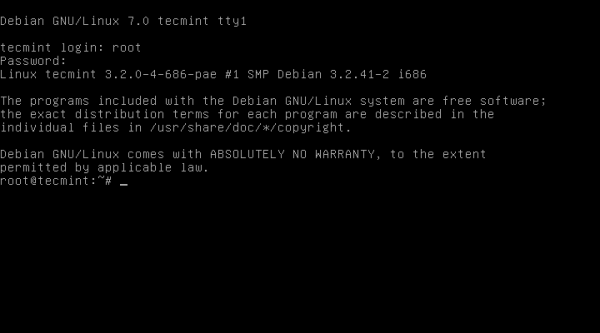
Debian 7.0 Login Screen


Tidak ada komentar:
Posting Komentar